Colors Messed up in UTM Tiles
-
Kookaburra
- Posts: 39
- Joined: 19 Feb 2011 00:32
Colors Messed up in UTM Tiles
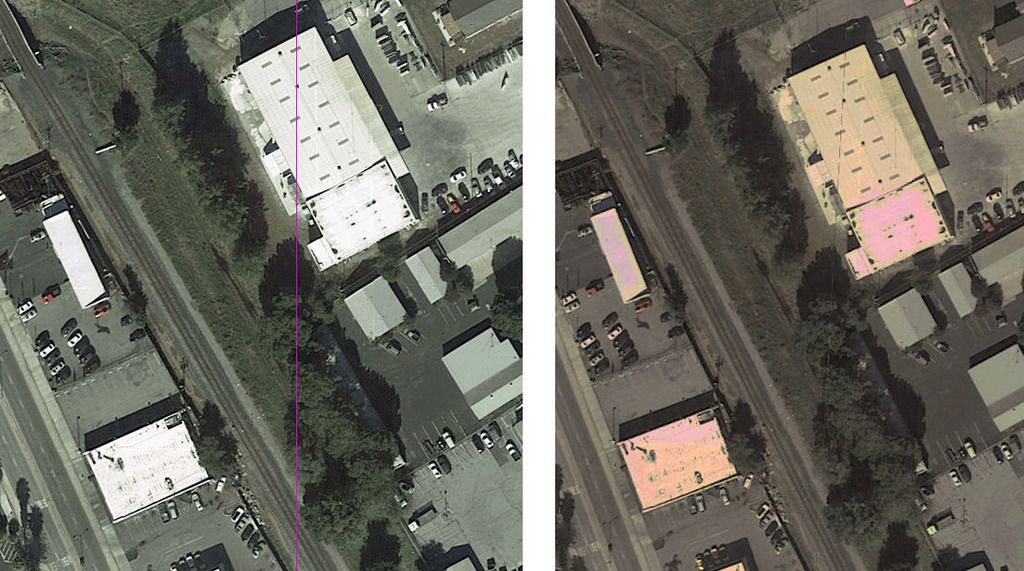
When I generate a 500m 3D UTM tile from ortho imagery, the colors in the UTM TGA file look pretty bad compared to the original ortho imagery. See below. The new TGA file on the right (generated by the Transdem's UTM tile exporter) has sufficient color depth, but the colors are way off. The original ortho imagery (on the left) looked great and after geo-referencing, even the 256 color PNG looked pretty good. Is there any way to preserve the original colors (or at least use the same colors as the PNG)? Could this be an item for the "wish list"?
Last edited by Kookaburra on 15 May 2017 17:11, edited 4 times in total.
Re: Colors Messed up in UTM Tiles
I' afraid the image didn't make it. Please use some publicly accessible image uploader.Kookaburra wrote:When I generate a 500m 3D UTM tile from ortho imagery, the colors in the UTM TGA file look pretty bad compared to the original ortho imagery. See below.
-
Kookaburra
- Posts: 39
- Joined: 19 Feb 2011 00:32
Re: Colors Messed up in UTM Tiles
I was trying to share the image via Google Drive and I couldn't get it to work, so I've shared it via Photobucket instead. The image should now appear in my original post.
Re: Colors Messed up in UTM Tiles
I see what you mean. I was half expecting that but I wanted to look at your picture to make sure.
It is a bit complicated, as the T:ANE CM texture importer/compressor and the T:ANE rendering engine both seem to modify the colors (and also sharpness). Color modification includes tone and luminance. I played around with the settings I apply in TransDEM but could not find a straightforward approach to pre-compensate for those alterations. The problem did not exist with TS12 but that did not use texture compression the same way.
It is a bit complicated, as the T:ANE CM texture importer/compressor and the T:ANE rendering engine both seem to modify the colors (and also sharpness). Color modification includes tone and luminance. I played around with the settings I apply in TransDEM but could not find a straightforward approach to pre-compensate for those alterations. The problem did not exist with TS12 but that did not use texture compression the same way.
-
Kookaburra
- Posts: 39
- Joined: 19 Feb 2011 00:32
Re: Colors Messed up in UTM Tiles
Makes sense, thanks. Doing some more experimenting here. I'm thinking about playing around with my Google Map Tile Zoom Level to see if that has any effect...
Below, the first image is a building in the PNG file created by the Transdem map tile client. I used Google Maps, Orthophoto, Zoom Level 21.
The second image is the same building in the TGA file created by the Transdem UTM tile exporter (3D tile, 500m, 4096 pixels). I notice there are fewer pixels per meter in this image, so maybe Zoom Level 21 is overkill. I'm trying to get as much detail as possible in imagery adjacent to the track.
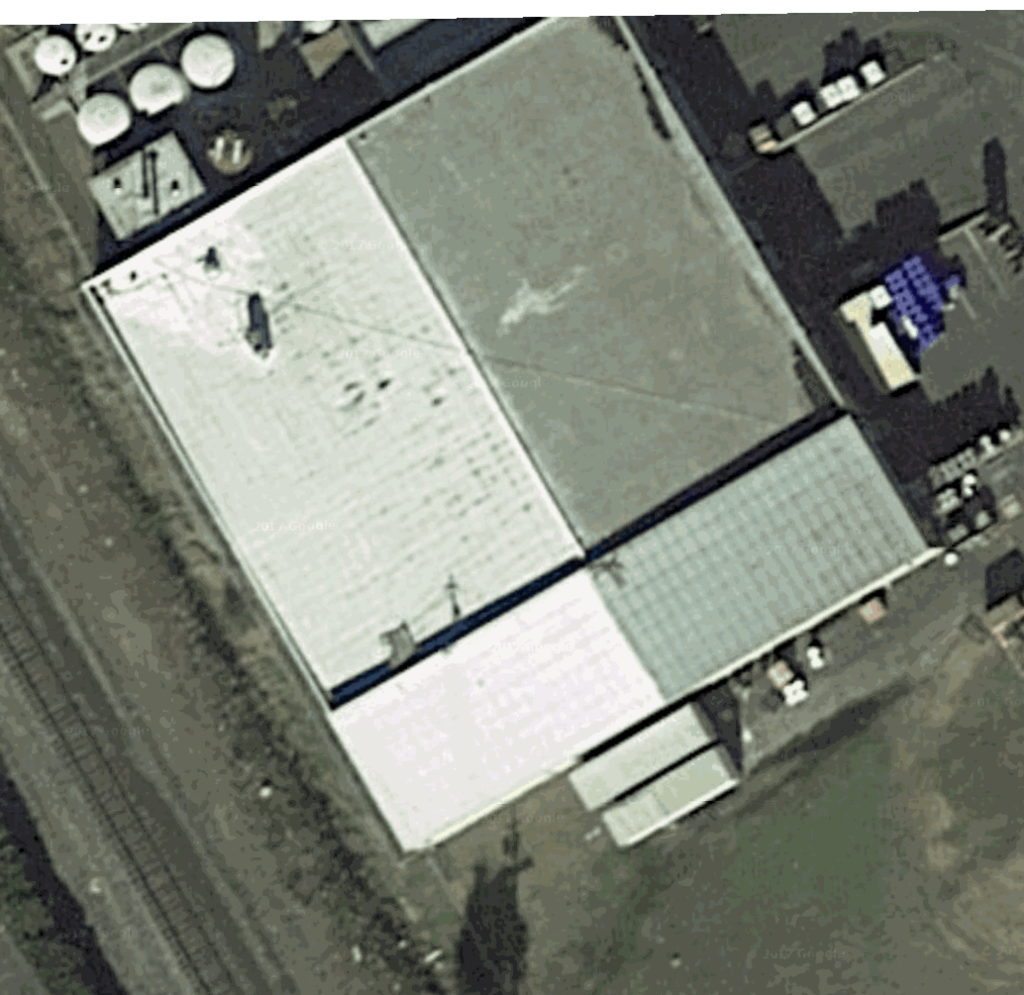
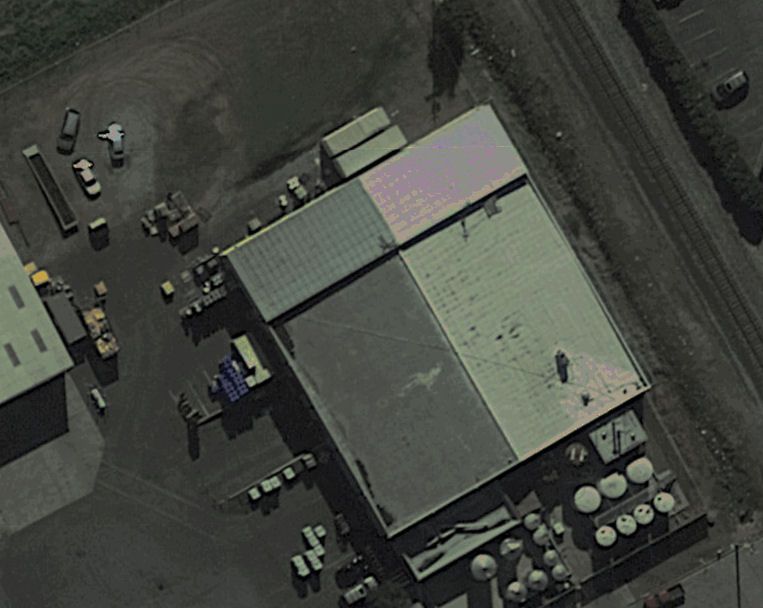
Below, the first image is a building in the PNG file created by the Transdem map tile client. I used Google Maps, Orthophoto, Zoom Level 21.
The second image is the same building in the TGA file created by the Transdem UTM tile exporter (3D tile, 500m, 4096 pixels). I notice there are fewer pixels per meter in this image, so maybe Zoom Level 21 is overkill. I'm trying to get as much detail as possible in imagery adjacent to the track.
-
Kookaburra
- Posts: 39
- Joined: 19 Feb 2011 00:32
Re: Colors Messed up in UTM Tiles
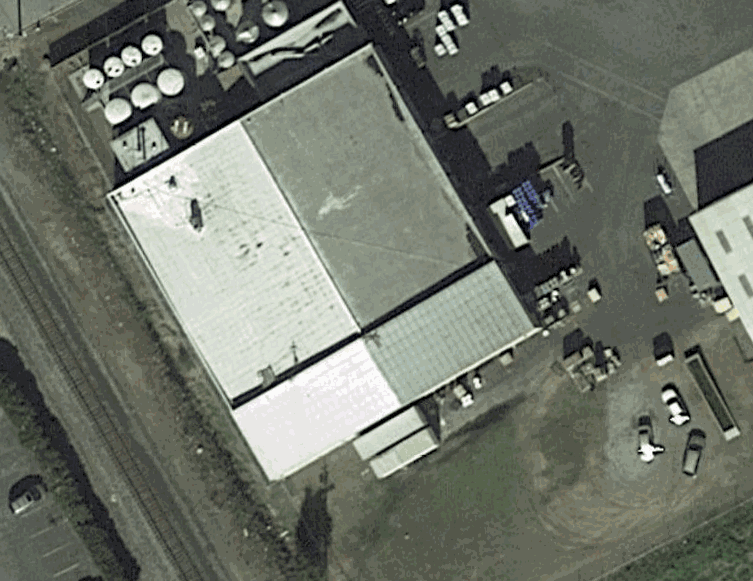
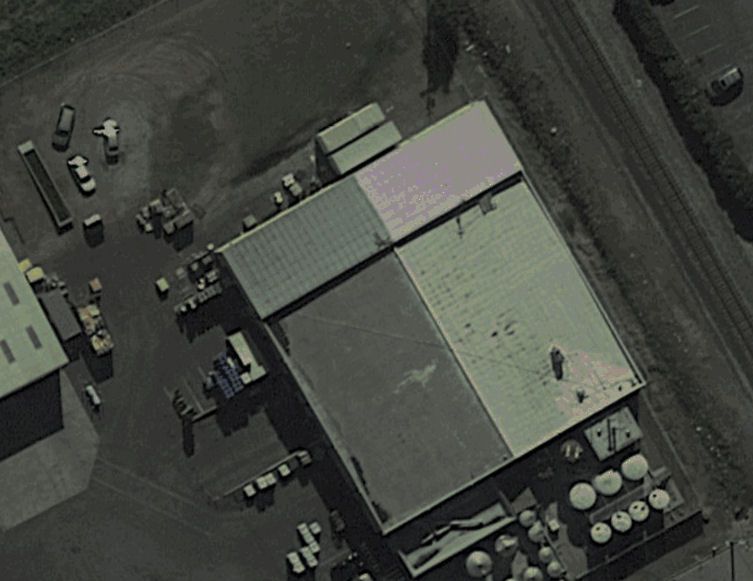
Same building using Zoom Level 20 in the map tile client instead of Zoom Level 21. First image is the output of the map tile client, second image is the output of the UTM tile exporter.
-
Kookaburra
- Posts: 39
- Joined: 19 Feb 2011 00:32
Re: Colors Messed up in UTM Tiles
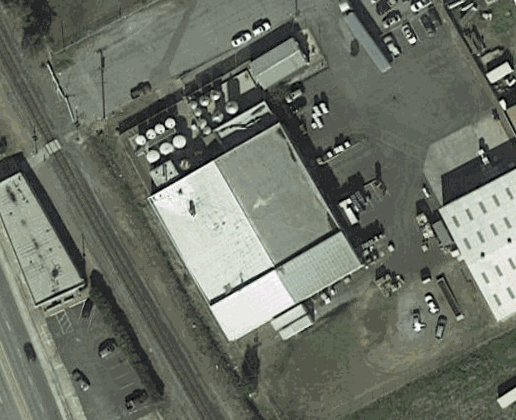
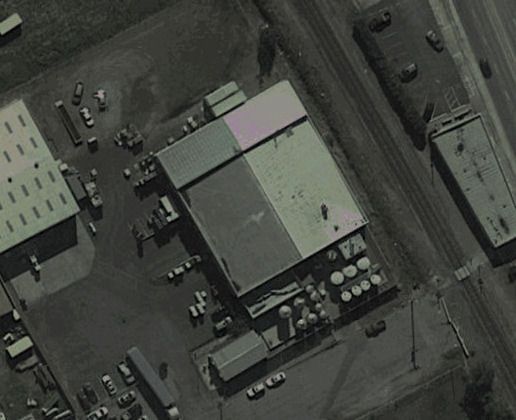
Zoom Level 19 map tile vs. UTM. I'm noticing that with this zoom level, as well as with zoom level 20, the scale of map tile image matches the scale of the UTM TGA image. That wasn't the case with zoom level 21. Hmm...
-
Kookaburra
- Posts: 39
- Joined: 19 Feb 2011 00:32
Re: Colors Messed up in UTM Tiles
I know this is a really old topic... I'm now running Transdem 2.6.5.1 with TANE SP3. I still have the same problem where Transdem's UTM tile exporter creates a somewhat dark TGA file with occasional splotches of ultra-bright, unnatural color (cyan, pink, etc). If I go into that TGA file, in Photoshop, and tediously replace the image using the original Google Map tiles, then import the UTM tile into TANE, the result is much better (TANE messes up the colors a little, but not as much as Transdem's pre-compensation).
So I guess, as a wish list item for a future release, I'd like an option in Trandem's UTM tile exporter to turn off Transdem's pre-compensation.
So I guess, as a wish list item for a future release, I'd like an option in Trandem's UTM tile exporter to turn off Transdem's pre-compensation.