Geo-data sources, tools, utilities
geophil
Posts: 1532 Joined: 05 Jan 2011 16:45
Contact:
#1
Post
by geophil 09 Mar 2012 14:11
Here are the settings to access the "
Transport Map " rendering for Open Street Map data:
Copy the following code section into a text editor, save as an xml file and import into TransDEM with the Map Tile Client / Settings.
It replaces "Other 2" which was no longer working.
Code: Select all
<?xml version="1.0" encoding="iso-8859-1" ?>

<TileServer version="1.0" >
  <Provider name="5 Open Street Map" >
    <URL addr="http://a.tile2.opencyclemap.org" prefix="transport" postfix=".png" standalone="1" type="5" >
      <Matrix prefixClm="/" prefixRow="/" prefixZoom="/" minZoom="1" maxZoom="18" order="2" />
      <Mercator origLat="90" origLon="-180" signLat="-1" signLon="1" projection="4" />
    </URL>
  </Provider>
</TileServer>
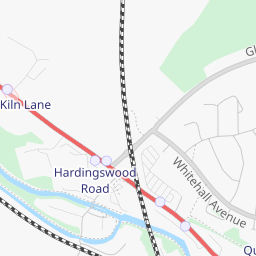
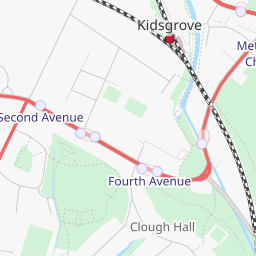
Standard vs
Transport :
jackdrake
Posts: 33 Joined: 22 Nov 2011 07:09Location: Karuah, NSW, Australia
#2
Post
by jackdrake 09 Mar 2012 20:29
Tried to perform the suggested action but came up with error message 'Error reading .xml file: map Tile Provider Settings
geophil
Posts: 1532 Joined: 05 Jan 2011 16:45
Contact:
#3
Post
by geophil 09 Mar 2012 21:20
Not sure what MS Office would do to this simple code fragment but I fear the worst. Try "Notepad" instead.
jackdrake
Posts: 33 Joined: 22 Nov 2011 07:09Location: Karuah, NSW, Australia
#4
Post
by jackdrake 09 Mar 2012 21:32
Sorry G but have tried all my options with no success.
geophil
Posts: 1532 Joined: 05 Jan 2011 16:45
Contact:
#5
Post
by geophil 09 Mar 2012 21:44
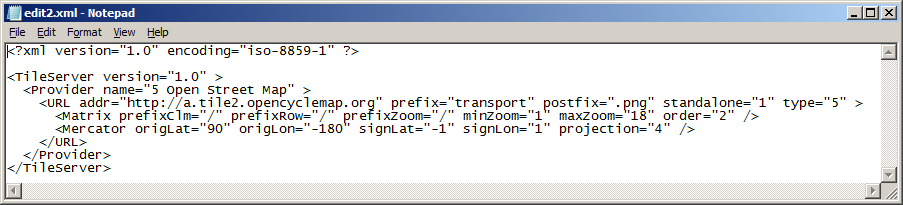
In Notepad it should look like this:
jackdrake
Posts: 33 Joined: 22 Nov 2011 07:09Location: Karuah, NSW, Australia
#6
Post
by jackdrake 10 Mar 2012 00:57
Done. "Save As" "File Name", you provided, was the key not as usually done with Save As type in text editor. Noticed however that your opening message does not show the code anymore???
ganmar
Posts: 27 Joined: 03 May 2012 18:09Location: High Peak Derbyshire UK
Contact:
#7
Post
by ganmar 09 Nov 2012 14:46
Just tried this and it worked. As a newbie I am quite pleased with myself
BigVern
Posts: 83 Joined: 28 Mar 2011 03:35
#8
Post
by BigVern 07 Mar 2014 09:28
Sorry for the thread bump Roland - was wondering if there was any way we could get Transdem to call the "Cycle" map layer? This often has more physical detail than either the Standard or Transport level maps, particularly with regard to relief and natural features?
geophil
Posts: 1532 Joined: 05 Jan 2011 16:45
Contact:
#9
Post
by geophil 07 Mar 2014 09:54
Have you tried Tile Type "Other 1"?
BigVern
Posts: 83 Joined: 28 Mar 2011 03:35
#10
Post
by BigVern 07 Mar 2014 11:42
Just tried that Roland and Other1 defaults to the standard map (with Transport map displayed under Other2).