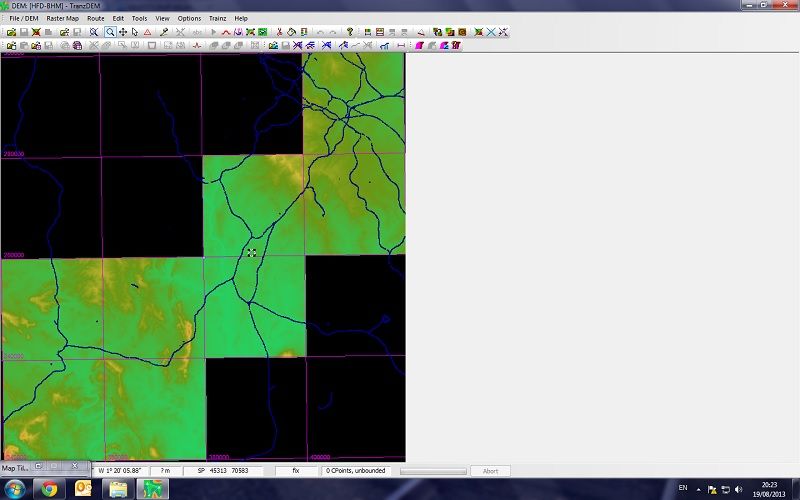
Help creating a DEM (getting confused)
Re: Help creating a DEM (getting confused)
Yep, I'd just got it. managed to get to this now, having added the data from VectorMap.
Re: Help creating a DEM (getting confused)
I would also add a raster map, for the Trainz ground textures and mini-map. Makes it easy to find your bearings in the Trainz route created.
Re: Help creating a DEM (getting confused)
Which one off here do I need. Is it just the raster format of the one before? Also, when I add it in, is it a georeferenced raster map?
Re: Help creating a DEM (getting confused)
O/S Vector Map District as raster will do. They come in GeoTIFF format and TransDEM should be able to read and process the georeferencing information. (I'm not absolutely sure about your version of TransDEM, but according to the release notes it will work with 2.1.*.) Export to Trainz as 5m grid, since the map is 1:25,000.
Re: Help creating a DEM (getting confused)
Thanks. I updated my edition of tranzdem to 2.1.3.1 earlier and after having followed the instructions in the tutorial, I have managed to export the basic route (haven't looked at it yet though).
I have worked out how you add the track data but I would like to also create some UTM tiles using google satellite imagery - currently I only have the vectormap data as a texture on the map - how do I go about doing this?
I have worked out how you add the track data but I would like to also create some UTM tiles using google satellite imagery - currently I only have the vectormap data as a texture on the map - how do I go about doing this?
Re: Help creating a DEM (getting confused)
The easiest way to acquire satellite images is the TransDEM Map Tile client again. Choose MS or Google orthophotos. Work along a path as shown in the Map Tile tutorial. Then follow the Muengsten tutorial, part 2, to export them to the Trainz route.
Re: Help creating a DEM (getting confused)
It took me a while to get part one completed without experiencing "too complex" errors but I can confirm I have now got the route fully working in trainz 2012, with UTM tiles. Thank you very much geophil (and everyone else), I really appreciate you helping me as I also have a better understanding of the program now. 