Progress bar disappears (short term solution found)
Posted: 02 Feb 2024 11:06
I think I might have accidentally pressed a hotkey or something. But I have encountered that hellish situation, just like a few months ago where the progress bar disappears and becomes invisible. I have searched every function in the program (2.6), and cannot restore it.
I would appreciate a simpler way to restore it, rather than having to reinstall the program, like last time. I tend to actually find it quite useful.
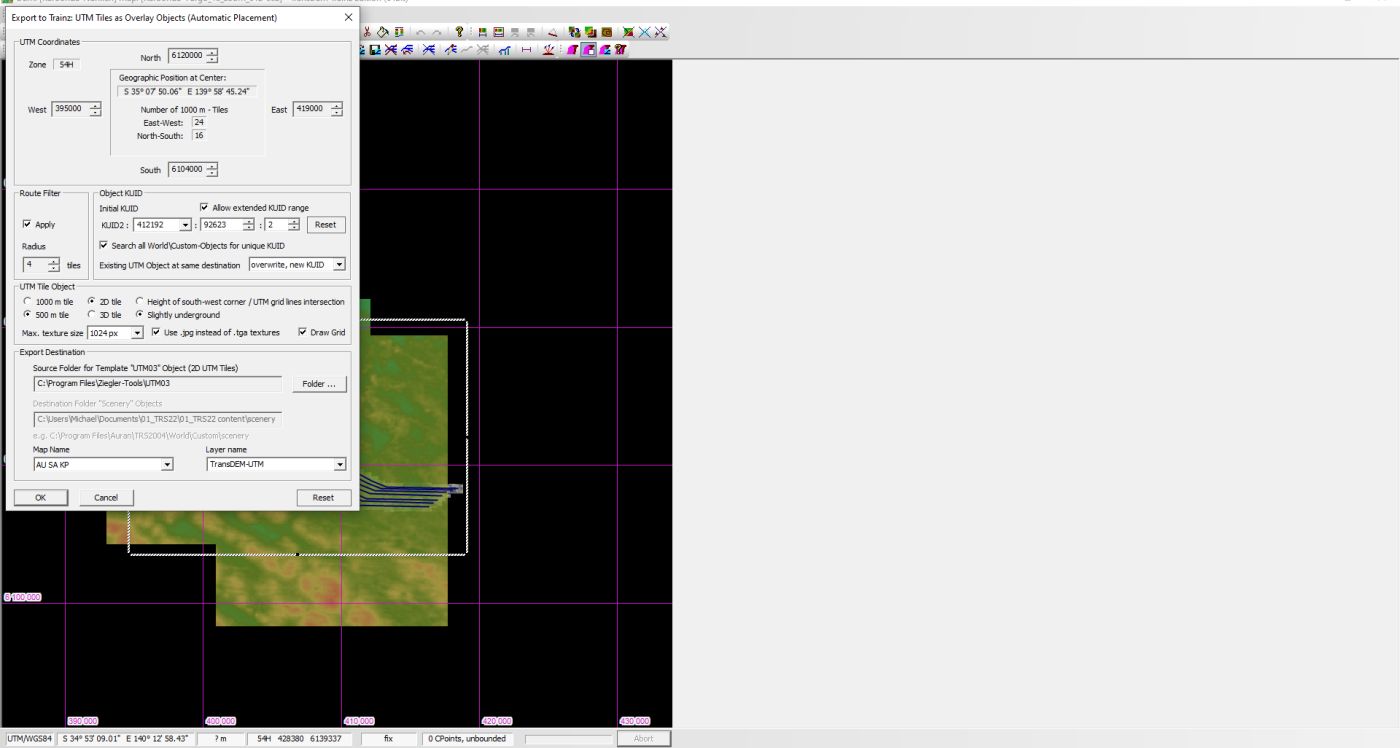
What I'm referring to is the one that used to be visible at the bottom centre of the interface, along the horizontal white bar, below all the purple square edges. It's almost directly in line with those 4 pink boxes at the top such as export, UTMs, splines, and help/documentation. It's the one that shows the progress of UTM and route generation, regardless of how long it takes. This also creates an absence of an option to abort the generation, regardless of how slow it is.
And just now, those four purple options in the top centre have disappeared completely. I cannot find a way to restore them.
And I should mention that I consistently create bogus content folders to attempt to create a new route in. This is because there are always errors associated with the standard TRS22 content folder. This could be contributing towards to the KUID related(?) conflicts with the UTM tiles, causing ones to render from various locations in the same tiny space in the game.
But I might as well give up. Because I am never going to get consistent UTMs in this game ever again. I have been trying for many weeks. It continues to frustrate me. All of them look like scattered jigsaw pieces, as described in the 'Randomisation' thread. I read about the KUID issues, and tried changing the values to no avail.
I would appreciate a simpler way to restore it, rather than having to reinstall the program, like last time. I tend to actually find it quite useful.
What I'm referring to is the one that used to be visible at the bottom centre of the interface, along the horizontal white bar, below all the purple square edges. It's almost directly in line with those 4 pink boxes at the top such as export, UTMs, splines, and help/documentation. It's the one that shows the progress of UTM and route generation, regardless of how long it takes. This also creates an absence of an option to abort the generation, regardless of how slow it is.
And just now, those four purple options in the top centre have disappeared completely. I cannot find a way to restore them.
And I should mention that I consistently create bogus content folders to attempt to create a new route in. This is because there are always errors associated with the standard TRS22 content folder. This could be contributing towards to the KUID related(?) conflicts with the UTM tiles, causing ones to render from various locations in the same tiny space in the game.
But I might as well give up. Because I am never going to get consistent UTMs in this game ever again. I have been trying for many weeks. It continues to frustrate me. All of them look like scattered jigsaw pieces, as described in the 'Randomisation' thread. I read about the KUID issues, and tried changing the values to no avail.