Page 1 of 1
Transparent Margins
Posted: 22 May 2015 05:30
by Thai1On
I am working on some US historical maps and when I make a transparent margin I get the light yellow shade around the map, but there is no confirmation or OK button to push.
Dave
Re: Transparent Margins
Posted: 22 May 2015 08:38
by geophil
Note: In the following images, the encircled toolbar button indicates the next step.
The first image shows the GeoPDF map after loading, already decoded by GDAL, but no TransDEM processing applied yet.
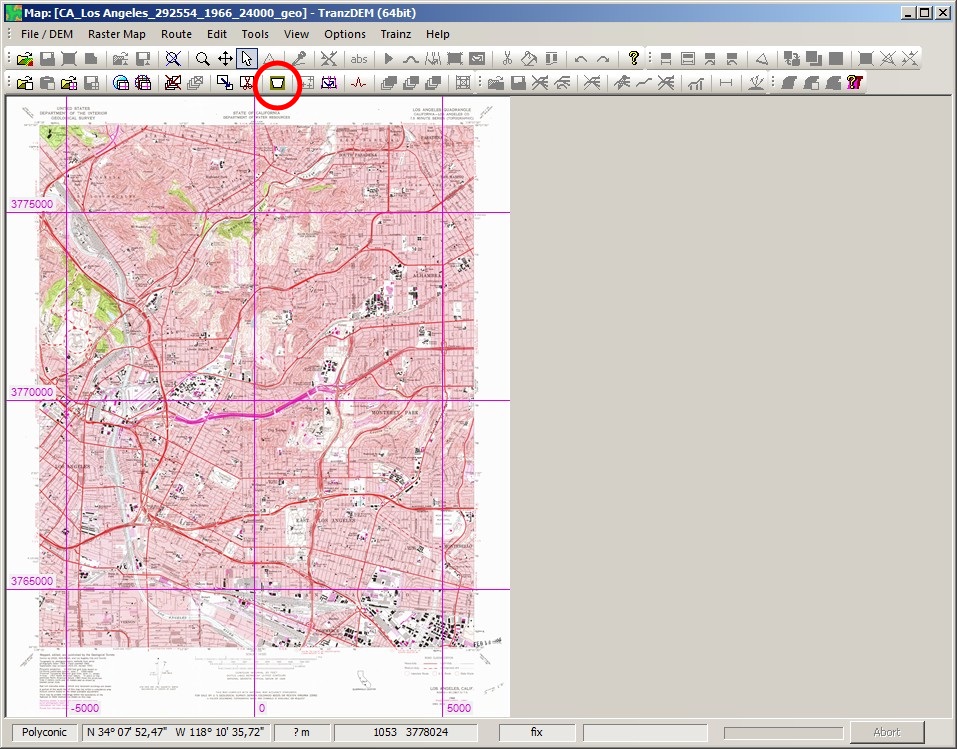
Transparent margins are basically independent from GeoPDF, but when activated (button on the toolbar or via menu), it will try to extract a "neatline" from the GeoPDF map, see next image, the yellow (almost) rectangular mask.
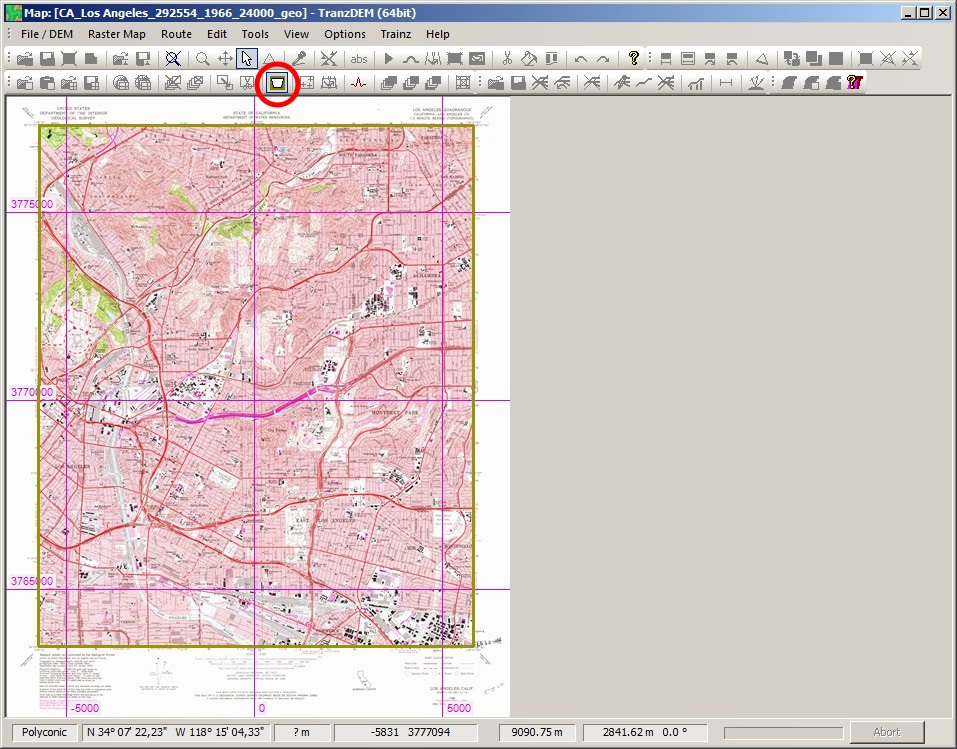
Transparent margins are committed when releasing the button again. The yellow rectangle becomes a yellowish shade. Nothing more happens at this stage.
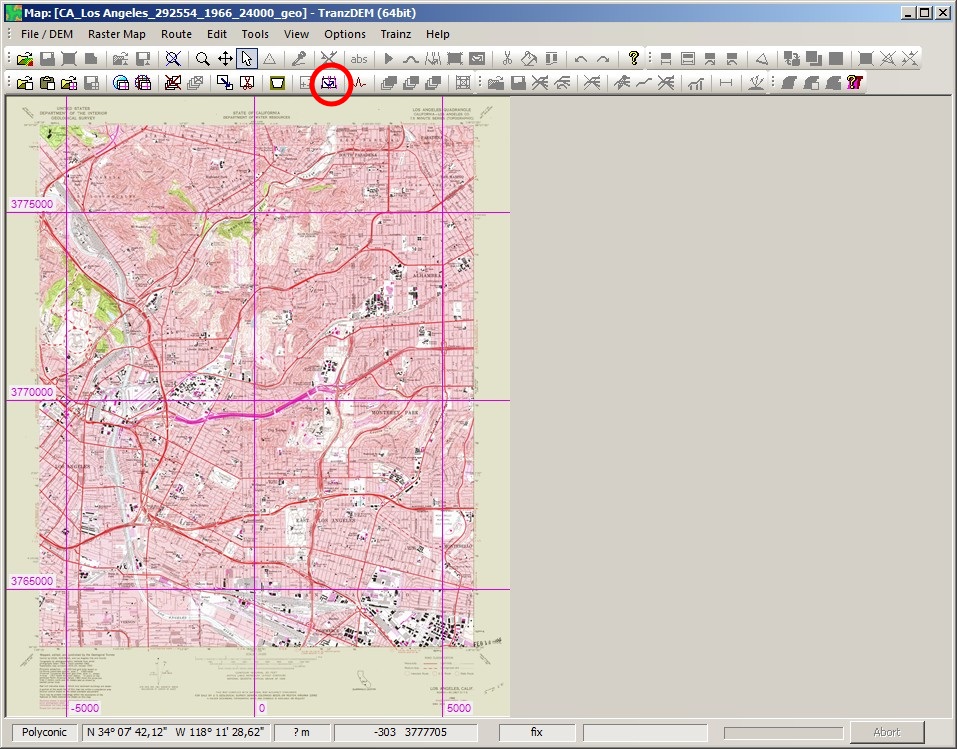
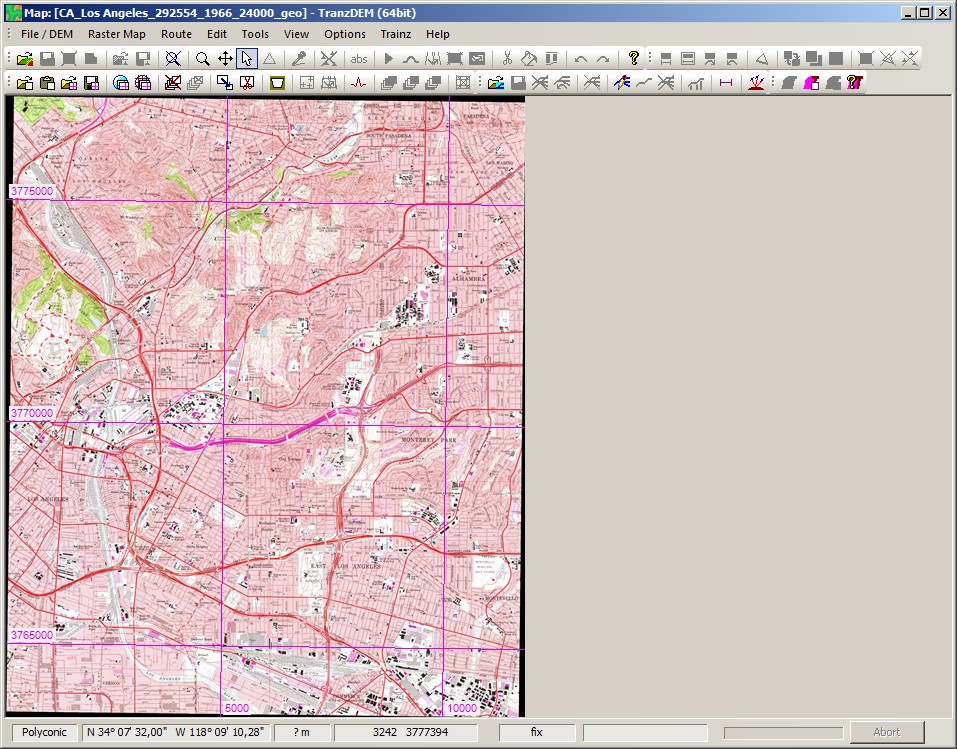
Now finally, the map has to be converted to UTM projection - it's Polyconic originally - and when doing that, TransDEM incorporates the transparent margin data. Combining both activities, UTM conversion and transparent margin filtering, into a single processing step, saves computation time, because both have a lot in common. "Convert to UTM" (toolbar button or menu) is always the final step when opening a raw map from file (or clipboard).
Re: Transparent Margins
Posted: 23 May 2015 08:38
by Thai1On
Thank you Dr. that fixed it.
Dave