Page 1 of 1
TransDem and TANE Release Candidate
Posted: 21 Mar 2015 20:39
by SharkNose
With this latest version of TANE, a TransDEM created route imports correctly (as do any UTM tiles), but it does not look very good color-wise. It seems too dark and I had to turn off all the fog settings. Even then it remained too dark. TANE seems to be handling the default route out of TransDem differently than it used to.
Roland, I'm sure you're waiting for the official release of TANE before making any commitments to TransDem updates.
Andrew
Re: TransDem and TANE Release Candidate
Posted: 02 Apr 2015 22:20
by bblake8480
I have had fairly mixed results with my imports of UTM tiles and the colors. In several tests, it sometimes looks good and sometimes only exports some of the imagery, sometimes the colors are good and sometimes they are completely off. For example, in my test after the latest TANE patch, everything had a blueish tone to it.
But one issue I see consistently occurs when I have Transdem include the track splines. It usually exports correctly with the initial route generation and all the track appears to be there. But then, when an autosave or save occurs, many of the track pieces that I have not yet "touched" (i.e. moved, split, added spline points, etc) just vanish from the map. Sometimes I can still see the spline points, and sometimes not, but the track pieces themselves are always gone.
I am still new to making routes with Transdem's help, so I could be doing something completely wrong. But has anyone else experienced this or know a workaround to make this not happen in TANE? I don't recall ever seeing this occur when I played around with Routes in Trainz 2010 and 12.
Barret
Re: TransDem and TANE Release Candidate
Posted: 03 Apr 2015 12:32
by SharkNose
Just a suggestion, export your route from TransDEM into TS12, go into TS12 and make a few modifications and have it save under TS12 (version 3.6 or 3.7 I think). Then make a CDP of your route and import that file into TANE. TANE may like a route straight from version 3.6 or 3.7 better than 3.4, which I believe is the version TransDEM exports it as.
RE: Baseboard creation/UTM tile creation - I usually find that I have to define a much bigger area in TransDEM to get all the UTM tiles I need. I turn on both the Trainz baseboard grid and the 1000m grid. I'll take my Trainz baseboard tiles for my route, then go out to include the whole 1000m grid that these baseboards are in, then move the outline to include all the Trainz baseboard grids that these 1000m grids are in! This way I always export a square or rectangular route, instead of a route only (+1, etc.). I can always delete the extraneous baseboards/tiles later.
I turn auto-save off in TS12 and TANE. I'd rather save frequently myself (which took training), rather than TS12 or TANE deciding to save when I'm in the middle of a critical spline placement.
The above are suggestions are how I do it. Maybe they'll be helpful to you too. I've got a long weekend, so hopefully I'll have time from my households projects to play with TransDEM and TANE RC2.

Andrew
Re: TransDem and TANE Release Candidate
Posted: 13 Apr 2015 01:59
by SharkNose
Regarding my comment above on TransDEM routes looking too dark in TANE. I discovered (quite accidentally) that if you edit the environment of the route and hit the button to "Reset Colors", it will make the route look as they usually do when first created.
Re: TransDem and TANE Release Candidate
Posted: 14 Apr 2015 08:47
by geophil
Whatever the T:ANE tools do during importing, it may have to do with interpreting normals. Ground textures require normals for some time now, and I tried to set the defaults as plain and pure z components - which then was rejected because Content Manager did not like uniform normals. Consequently all textures now have a one pixel abnormality to satisfy TS12 CM. T:ANE may have a different view again.
Re: TransDem and TANE Release Candidate
Posted: 15 Apr 2015 07:52
by jackdrake
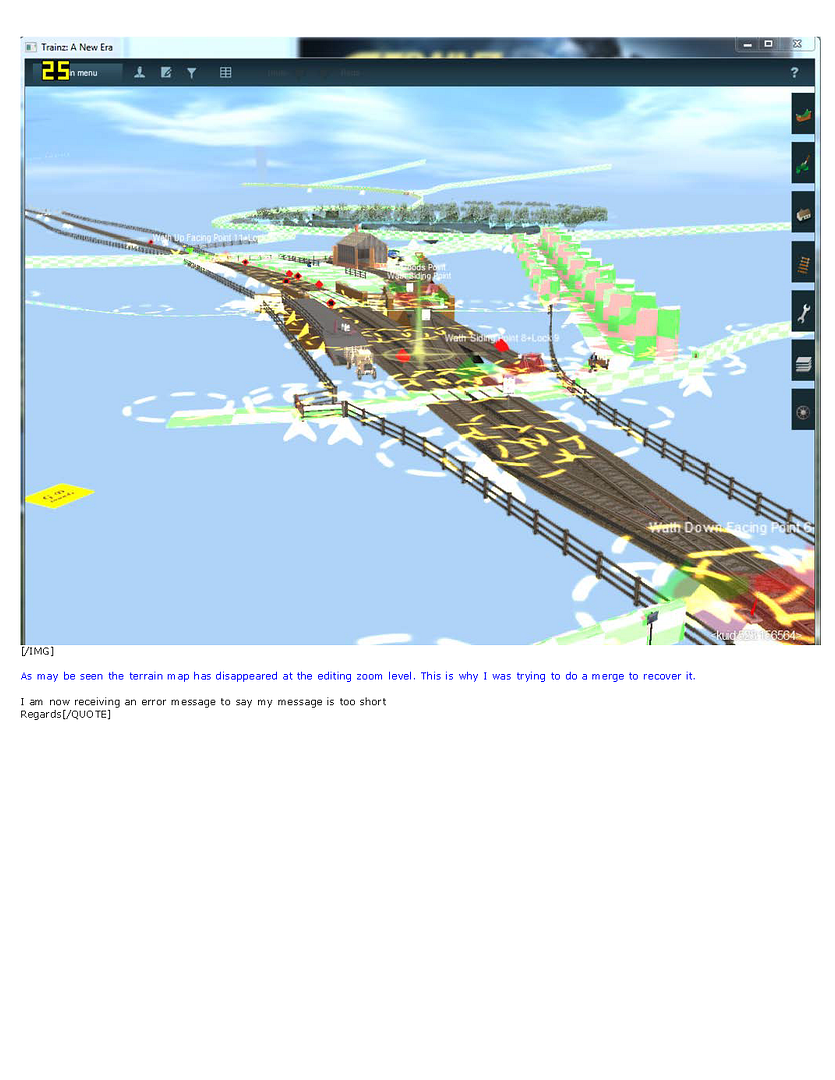
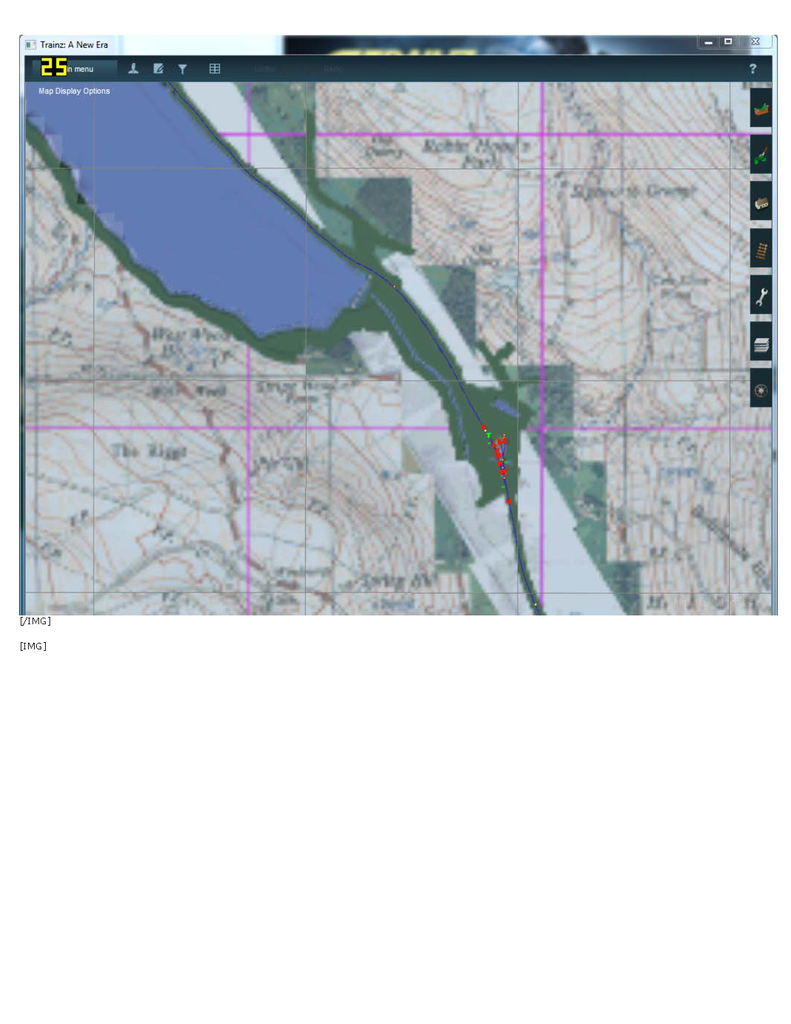
This is a problem, the map is ok from a distance but not there at the working position
Re: TransDem and TANE Release Candidate
Posted: 15 Apr 2015 08:09
by geophil
jackdrake wrote:This is a problem, the map is ok from a distance but not there at the working position
It's the minimap you see from a distance. Zooming in, Surveyor will switch to ground textures. You will need the very latest version of the TransDEM ground textures for T:ANE, V5 for the standard set, V2 for the aerial-image set. Older versions are not compatible and will be reported as faulty by T:ANE CM.

