Page 2 of 4
Re: Map Tile Server settings
Posted: 13 Dec 2011 21:08
by PFX72
This is with WMS. I can get the map tile client to work no problem. The errors occur with both the UK sample settings supplied with the software (ie, OS and Streetmap). The error message happens as soon as I click 'connect' when I'm about to apply map tiles along a path.
Re: Map Tile Server settings
Posted: 14 Dec 2011 09:33
by geophil
Are you sure that the WMS which is causing trouble for you, has been part of the TransDEM sample configurations? I just checked again, the November 2011 WMS settings do not contain any UK service.
You can get the O/S 1:50k via MS Virtual Earth (Bing) map tile service, configured as type "Other 1". And you have the "Historic UK" compilation with older O/S topo maps as another map tile service.
As an alternative option, the renewed
O/S "Get-a-map" portal let's you obtain larger screenshots than before, for Landranger (1:50k) and Explorer (1:25k) maps. You will need 3+1 point georeferencing in TransDEM, but it works pretty well, if you process a series of screenshots.
Re: Map Tile Server settings
Posted: 12 Apr 2014 15:31
by Сокол
Why no cards? help please!


Re: Map Tile Server settings
Posted: 12 Apr 2014 17:53
by geophil
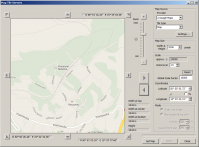
Check your internet connection. Can you access any map tile service?
It should look like this:
Re: Map Tile Server settings
Posted: 12 Apr 2014 18:52
by Сокол
geophil wrote:Check your internet connection. Can you access any map tile service? It should look like this:
Connected to the Internet. Map does not show.
Re: Map Tile Server settings
Posted: 12 Apr 2014 21:04
by geophil
Re: Map Tile Server settings
Posted: 12 Apr 2014 22:31
by Сокол
In browser

The browser opens tiles

TranzDEM tiles do not open

Re: Map Tile Server settings
Posted: 13 Apr 2014 09:33
by geophil
If you can connect to these addresses from your internet browser and you are running TransDEM on the same machine then check your Windows or other firewall settings. TransDEM must be allowed to make outbound connections. This is the default setting in Windows for Windows Firewall, at least in Win 7.
Re: Map Tile Server settings
Posted: 13 Apr 2014 16:32
by Сокол
geophil wrote:If you can connect to these addresses from your internet browser and you are running TransDEM on the same machine then check your Windows or other firewall settings. TransDEM must be allowed to make outbound connections. This is the default setting in Windows for Windows Firewall, at least in Win 7.
Through which ports are running TranzDEM ?
Re: Map Tile Server settings
Posted: 13 Apr 2014 17:25
by geophil
Сокол wrote:
Through which ports are running TranzDEM ?
Usually standard HTTP, port 80, that is. WMS and MTS in the way they are used by TransDEM are implemented within the scope of HTTP. Some services may listen on different ports, but then the URL would contain the port in the address expression.