Nogeophil wrote:Let's stick with the Muengsten tutorial. Any other route does not make sense, until Muengsten is working for you.
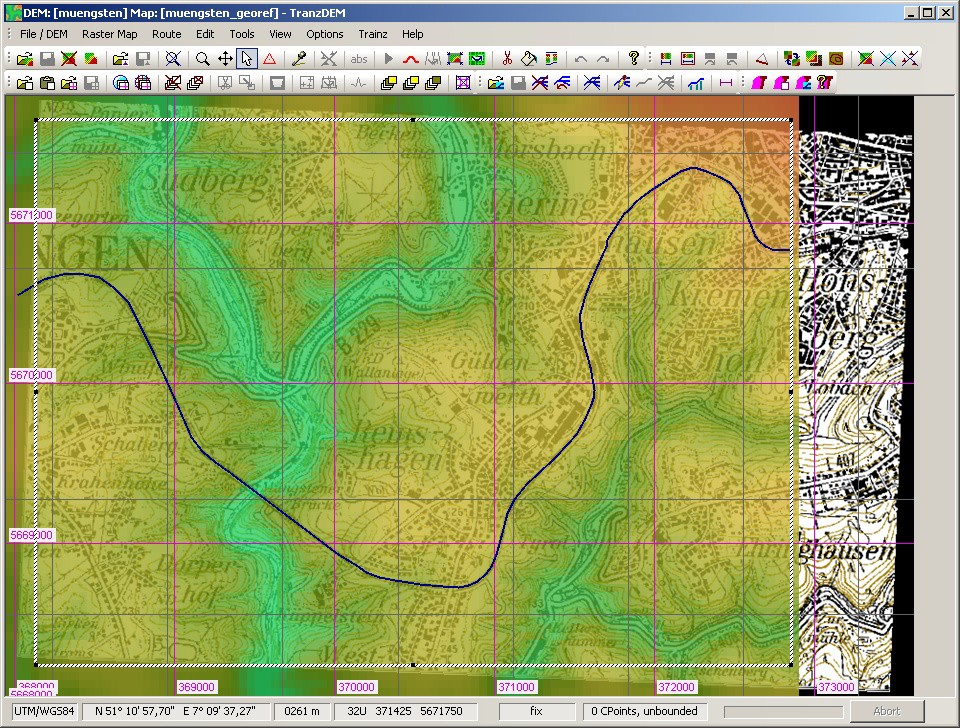
- When you export in part 1, and before you open the export dialog, does your TransDEM window look like it does in the manual? Yes
If not make sure it does:
UTM and baseboard grid visible, DEM loaded, map loaded, vector loaded, rectangle mask set.
Yes- Export as described in the manual. Yes
- In Trainz Content Manager, delete any previous Muengsten routes, to avoid confusion. Yes
- Then import the new TransDEM export. (Do not add UTM tiles or vectors, yet). Yes
- Open the imported route in Surveyor. Does it have terrain? Does it have ground textures?
Norwegian DEM
Re: Norwegian DEM
Last edited by pdw2107 on 20 Mar 2024 11:40, edited 1 time in total.
Re: Norwegian DEM
Sorry, Yes all the files are there. ( I forgot to make the rectangular mask, but now it is there and the files are there).
No - the Muengsten route shows in TRS2019, but it is only the DEM, and no map..Open the imported route in Surveyor. Does it have terrain? Does it have ground textures?
Re: Norwegian DEM
Then please double-check that you really, really have installed the TransDEM ground textures, in particular as you re-installed Trainz.pdw2107 wrote:No - the Muengsten route shows in TRS2019, but it is only the DEM, and no map
Re: Norwegian DEM
Sorry, I didn't think of that. So I now have both the DEM and map for Muengsten!
Does that mean I can now go ahead with the route a want to work on?
Does that mean I can now go ahead with the route a want to work on?
Re: Norwegian DEM
Well, first complete the next two steps of the tutorial, adding UTM tiles and vector data.
You have to import the route in Trainz Content Manager again after that. In Trainz, delete the previously imported route before doing so. TransDEM makes the route changes to its own export, not to the imported copy of the route in Trainz.
You have to import the route in Trainz Content Manager again after that. In Trainz, delete the previously imported route before doing so. TransDEM makes the route changes to its own export, not to the imported copy of the route in Trainz.
Re: Norwegian DEM
OK I'll do that.
But first Easter holidays at the cottage from tomorrow, so I will get back to it in a week or so..
Thankyou for all your help. I really appreciate it.
Peter
But first Easter holidays at the cottage from tomorrow, so I will get back to it in a week or so..
Thankyou for all your help. I really appreciate it.
Peter
Re: Norwegian DEM
Hello again.geophil wrote:Well, first complete the next two steps of the tutorial, adding UTM tiles and vector data.
You have to import the route in Trainz Content Manager again after that. In Trainz, delete the previously imported route before doing so. TransDEM makes the route changes to its own export, not to the imported copy of the route in Trainz.
I have just got back from Easter break.
I completed the Muengsten tutorials Part 2 and 3, and it all seems to work as it should.
Now I guess I can try my own route again and go through the whole process.. ?
Re: Norwegian DEM
I tried my new route again, but after Part 1 I got a message "Error importing map files".
Re: Norwegian DEM
And I tried one more time and it worked - not sure how!
Many thanks for your help. Now I can continue!
Many thanks for your help. Now I can continue!